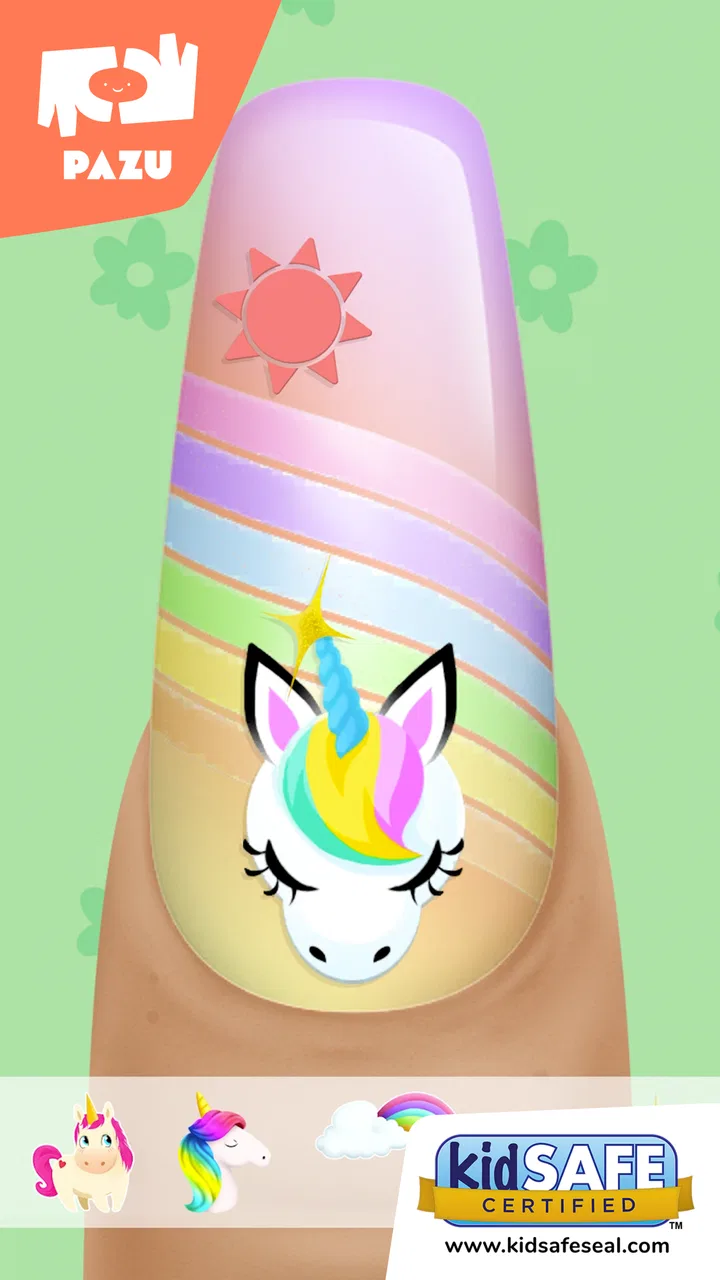
Girls Nail Salon - Kids Games
- 4.5
- Rating
- 10.00M
- Installs
- Free
- Price

 Analysis by App-foxy
I tried Girls Nail Salon - Kids Games as a short, creative activity rather than as a traditional game with levels, competition, or a long-term challenge. That distinction matters. This is an educational game from Pazu Games built around virtual manicures, nail polish, and nail art, and its appeal comes from letting children make visual choices at their own pace. I found it easiest to enjoy when I treated each session as a small design project instead of expecting a structured adventure.
The game is free to start and is suitable for Everyone, which makes it a natural option for younger children who enjoy beauty-themed play. It has also reached over ten million installs and holds a 4.4 average from around fifty-six thousand ratings, so it is clearly familiar to a large audience. Those figures do not replace personal testing, but they do suggest that the basic idea is easy for families to understand.
How the current version feels in everyday use
The central activity is simple: choose a manicure style, apply color, and decorate the nails. The controls are designed for touch, so the experience works best on a phone or tablet where a child can tap, drag, and make visual decisions without needing to read much text. I would describe it as guided creative play. The game gives children a recognizable salon theme, but the fun comes from deciding how the final look should appear.
You May Also Like

 Blood Strike: 2.5 Anniversary
Blood Strike’s Loadouts Turn Every Drop Into a Tactical Gamble
A close look at Blood Strike’s custom loadouts: how fast access to signature weapons reshapes its battle royale rhythm, rewards preparation, and narrows the gap between fights.

 Pandora - Music & Podcasts
Pandora’s Music Is Easy to Start, but Harder to Recover
Pandora’s strength is its low-effort path from a seed to a station. Its weak spot is how much confidence it asks you to place in connection, setup, and quiet recovery.

 8 Ball Pool
 Is Built on Rivalries, Rematches, and Routine
A close look at the rivalries, rematches, shared routines, and unanswered safety questions that turn a quick pool match into a persistent mobile community.

 Samsung Music
’s Quiet Strength Is Playing What You Already Own
Its reach comes less from spectacle than from dependable access to a personal library. That simplicity is both the app’s strongest retention engine and its ceiling.

 AccuWeather: Weather Radar
AccuWeather Review: A Quick, Clear Forecast for Everyday Decisions
For everyday plans, the best forecast is the one you can understand quickly. AccuWeather makes rain timing, radar, and local conditions easy to act on, with a few trade-offs.

 Hill Climb Racing
Why Hill Climb Racing Still Turns Crashes Into One More Run
A tiny car, a bumpy hill and one more upgrade: Hill Climb Racing keeps resurfacing because its simple chaos makes every near-miss feel personal.
More From Our News Desk



I noticed that the strongest moments are not necessarily the most elaborate ones. A child can spend a few minutes trying different colors, then settle on a combination that feels personal. That makes it useful during a quiet break, while waiting at a restaurant, or during a short car journey when a full-length game would be too demanding. It is also a reasonable activity for a parent and child to share, because an adult can ask why a particular color or pattern was chosen without taking over the session.
The presentation is clearly aimed at children who like colorful fashion and beauty themes. That focus is both the game's identity and its main limitation. If a child prefers puzzles, animals, racing, stories, or construction, the salon setting may not hold attention for long. I would not install it for every child simply because it is labeled educational; I would choose it for a child who already enjoys pretend play involving styling, accessories, or personal design.
What children can learn through the play
The educational value is informal rather than academic. Children practice making choices, comparing colors, noticing patterns, and planning a visual result. They also get a low-pressure way to experiment. A manicure that looks unusual can simply be changed, which is a useful contrast with real-world craft materials that may be limited or messy.
One practical way to use it is to give a child a small design brief. Ask for a look based on a season, a favorite color, or an imaginary character, then let the child explain the choices afterward. This turns tapping through options into a conversation about matching, contrast, and sequence. The game itself remains light, but the surrounding activity can encourage vocabulary and decision-making.
I also found that the lack of a serious penalty is valuable for younger players. A child does not need to worry about losing progress because a color combination is imperfect. That makes the game more approachable than many skill-based alternatives, especially for children who become frustrated by timers, scores, or repeated failure.
How the design works for younger players
The touch-first format is easier for a young child than a game that depends on virtual joysticks or several simultaneous buttons. The salon theme provides a clear context for each action, so children can understand what they are doing even when they are not confident readers. Still, younger players may need an adult nearby at first, particularly when they encounter an unfamiliar screen or a choice that is not immediately obvious.
For a preschool-aged child, I would begin with a shared session. Let the child choose the colors while the adult handles any confusing navigation. Once the child understands the pattern of the activity, independent play becomes more realistic. This gradual handoff is more effective than assuming that an age rating automatically means every child will understand the interface without help.
The game is also suitable for short sessions because its creative loop does not require a large time investment. I would not use it as a substitute for outdoor play, drawing with real materials, or social interaction, but it can fill a small gap without demanding the concentration of a full puzzle game. That is where it makes the most sense in a family routine.
What the update history means for players
The current version is 1.67, and the game was released on February 11, 2020. That gives the product a meaningful history rather than making it a brand-new experiment. For a parent, the important point is that the app has remained available through multiple stages of its life, while the version number shows that it has received ongoing iteration.
I would be careful about interpreting a version number as proof of a major redesign. A later version can reflect maintenance, compatibility work, adjustments, or smaller refinements as well as visible new content. In practical terms, I would judge the current build by how comfortably it runs on the intended device and whether the child enjoys the available creative choices, not by assuming that the number itself guarantees a radically expanded experience.
The minimum operating-system requirement is Android 6.0. That is helpful for families using older compatible hardware, although performance can still vary between devices. A larger tablet may be more comfortable for small hands than a compact phone, especially when the child is trying to place decorations precisely. Before handing over a device, I would open the game once, check the controls, and make sure the child can reach the main activity without accidentally wandering into unrelated screens.
For existing users, version 1.67 is best viewed as the current reference point for the experience rather than a promise about future direction. If a child already likes the salon concept, updating to the current build is sensible. If the child has stopped playing because the basic manicure loop feels repetitive, a version change alone may not solve that problem. The core question remains whether the available styling choices continue to feel fresh to that particular player.
What has improved in practical terms
From a reviewer's perspective, the most meaningful sign of product evolution is not a flashy claim but the fact that the game has continued as an established children’s title while keeping its central idea clear. The current release still presents a focused activity rather than trying to become a complicated social or competitive game. That consistency is useful for parents who want something easy to explain.
It also means returning players do not need to relearn an entirely different type of game. A child who understood the salon routine before should be able to approach the newer version naturally. This is a quiet benefit: continuity reduces the amount of adult assistance needed, particularly when the game is being used during a busy moment.
At the same time, I would not describe the update path as a replacement for variety. Children who want a story, unlockable progression, or a more demanding creative tool may still find the experience limited. The current build serves its original purpose well, but its evolution does not change the fact that it is a focused salon activity.
Where it fits compared with other children’s games
Compared with drawing apps, this game gives children a narrower canvas but a clearer starting point. A blank drawing screen can be intimidating or require more imagination, while the manicure theme immediately suggests what to do. The trade-off is freedom: drawing apps generally allow broader expression, whereas this game keeps creativity inside the salon format.
Compared with dress-up games, the focus is more specific. A dress-up title may offer clothing, characters, and whole-scene styling, while this experience concentrates on nails and the small decisions around them. That narrower subject can be a strength for a child who likes detail, but it may feel repetitive to someone who wants a complete character makeover.
Compared with puzzle games, there is less emphasis on finding a correct answer. That makes it gentler and more accessible, but also less useful for a child seeking a challenge with clear progression. I would choose a puzzle game when the goal is logic practice or sustained problem-solving. I would choose this one when the goal is calm creative play with an obvious theme.
The free entry point makes it easier to test the fit before committing money. However, in-app purchases range from $6.49 to $59.99 per item, so I would review the purchase settings before giving the device to a child. The safest routine is to let the child play only after an adult has checked how purchases are presented and enabled the device-level protections that the family normally uses. This is not a reason to reject the game, but it is an important part of responsible setup.
A realistic family scenario
Imagine a child waiting while a parent finishes an appointment. The child has a tablet, a limited amount of time, and little interest in reading a long story. This game can work well because the child can begin making a design quickly, pause when needed, and show the result afterward. The parent can turn the waiting time into a small design conversation: which colors work together, what theme was chosen, and what would be changed next time.
In that situation, I would set a clear boundary before starting. I would explain that the child is choosing designs, not buying anything, and I would keep the device in a mode where accidental purchases are not possible. I would also avoid presenting the activity as a reward that must be earned every time. Used occasionally, it is a pleasant creative distraction; used constantly, it may lose its novelty.
Remaining gaps and small points of friction
The biggest weakness is repetition. The manicure concept is immediately understandable, but that same simplicity can become predictable. A child who has already explored the favorite colors and decorations may feel that later sessions are variations on the same task. This is normal for a focused casual game, yet it should influence expectations before installation.
There is also a difference between creative choice and creative control. Selecting from prepared options can teach comparison and preference, but it does not offer the same freedom as painting, designing from scratch, or building an original scene. If a child wants to express a very specific idea, the available salon framework may feel restrictive.
Another consideration is audience fit. The store summary presents it as a girls’ nail salon game, and the beauty theme is central to the experience. Some children will love that immediately; others may not identify with it at all. I would follow the child’s interests rather than treating the gendered presentation as a recommendation by itself. A child who enjoys color and design can find value here regardless of whether salon play is already a favorite.
The game is free, but the presence of in-app purchases means adults should take control of the payment environment. For a shared family device, this is especially important because young children may tap attractive options without understanding that a transaction is involved. A few minutes of setup can prevent a confusing situation later.
Finally, it is not the right choice for someone looking for multiplayer interaction, a deep narrative, competitive ranking, or a structured educational curriculum. I would skip it when the main goal is mathematics, spelling, reading practice, or advanced art instruction. Its learning benefits come from creative decision-making and pretend salon play, not from formal lessons.
What I would watch in future use
When deciding whether to keep it installed, I would watch how the child plays after the first excitement fades. Does the child invent themes, compare combinations, and explain the choices, or simply tap through the same options without interest? The first pattern suggests the game is supporting creative play. The second suggests that a drawing tool, craft activity, or different type of game may offer more lasting value.
I would also watch whether the child can use the interface independently and whether the device remains comfortable during play. A large screen can make detailed choices easier, while a smaller phone may be fine for quick sessions. If the child repeatedly asks for help with navigation, I would treat that as a setup issue rather than a failure, but I would still decide whether the required supervision fits the family’s routine.
For returning players, the useful question is whether the current version still provides enough variety without requiring purchases. Families should be clear about what the free experience offers in their own hands and should not assume that every attractive option is included automatically. That simple check keeps expectations realistic.
My overall view is positive but specific: this is a gentle creative salon game, not a deep educational system. I would recommend it to a child who enjoys nail art, color matching, and pretend beauty play, especially when a parent wants a calm activity that can be completed in short bursts. I would look elsewhere for serious learning goals or complex gameplay.
Girls Nail Salon - Kids Games earns its place as an accessible, focused option because it makes experimentation feel easy. Its free starting point, Everyone age rating, long-running presence, and current version 1.67 make it straightforward to try on a compatible device. Just approach it with the right expectations, supervise purchases, and remember that its greatest strength is the small creative moment it offers—not endless progression.
FAQs for Girls Nail Salon - Kids Games
01What age group is Girls Nail Salon - Kids Games suitable for?
Girls Nail Salon - Kids Games is designed primarily for children aged 4 to 12. The app features colorful graphics, easy-to-use controls, and engaging activities suitable for young children. Parents can rest assured that the content is age-appropriate and offers a safe environment for creative expression.
02Does Girls Nail Salon - Kids Games offer in-app purchases?
Yes, Girls Nail Salon - Kids Games includes optional in-app purchases. While the basic version provides a selection of nail colors and designs, additional features and customization options can be unlocked through purchases. It's advisable for parents to set up purchase restrictions to manage spending.
03Is an internet connection required to play Girls Nail Salon - Kids Games?
No, an internet connection is not required to play Girls Nail Salon - Kids Games. The app can be enjoyed offline, making it a convenient option for entertainment during travel or in areas with limited connectivity. However, some features like updates may require internet access.
04Are there ads in Girls Nail Salon - Kids Games?
Yes, the free version of Girls Nail Salon - Kids Games includes advertisements. Ads are generally designed to be child-friendly, but parents may consider purchasing the ad-free version to ensure uninterrupted playtime. This can provide a more seamless and enjoyable experience for children.
05What platforms is Girls Nail Salon - Kids Games available on?
Girls Nail Salon - Kids Games is available for both Android and iOS devices. It can be downloaded from the Google Play Store for Android users and the Apple App Store for iOS users. Ensure your device meets the app's requirements for optimal performance and user experience.
Pros
- Engaging and colorful graphics.
- Easy-to-use interface for kids.
- Variety of nail designs available.
- Promotes creativity and imagination.
- Regular updates with new features.
Cons
- Contains in-app purchases.
- May have occasional ads.
- Limited offline functionality.
- Some designs locked behind paywall.
- Requires internet for certain features.

Girls Nail Salon - Kids Games
Gallery